Step-by-Step Guide to Filing Form 990-N (e-Postcard) for Nonprofits
· Last reviewed · 3 min read

Form 990-N, the e-Postcard, is the annual IRS filing for small tax-exempt organizations. This guide covers who files it, when it is due, and how to file it with 990.tax.
Who files Form 990-N
Most small tax-exempt organizations whose gross receipts are normally $50,000 or less must file Form 990-N, unless they choose to file a complete Form 990-EZ or Form 990 instead.
"Normally" has a specific meaning. Gross receipts are normally $50,000 or less if your organization is:
- Up to a year old and received, or donors pledged, $75,000 or less in its first tax year
- Between 1 and 3 years old and averaged $60,000 or less in each of its first 2 tax years
- Three years old or more and averaged $50,000 or less over the immediately preceding 3 tax years, including the current year
Some organizations cannot use Form 990-N even when they are small. These include private foundations, most section 509(a)(3) supporting organizations, and certain section 527 political organizations. If your organization is included in a parent's group return, you do not file your own 990-N.
When it is due
Form 990-N is due by the 15th day of the 5th month after your tax year ends. If that day is a Saturday, Sunday or legal holiday, the due date is the next business day. You cannot file until the tax year has ended. There is no extension.
- Year ended June 30, 2026: due November 16, 2026, because November 15 is a Sunday.
- Year ending December 31, 2026: due May 17, 2027, because May 15 is a Saturday.
The IRS does not charge a penalty for a late e-Postcard. But an organization that misses three consecutive years automatically loses its tax-exempt status.
What you need
The e-Postcard asks for eight items:
- EIN
- Tax year
- Legal name and mailing address
- Any other names the organization uses
- Name and address of a principal officer
- Website address, if you have one
- Confirmation that gross receipts are normally $50,000 or less
- If it applies, a statement that the organization has terminated
Filing with 990.tax
Step 1: Go to 990.tax. If you have an account, log in. If not, start typing your organization's name or EIN to create one.

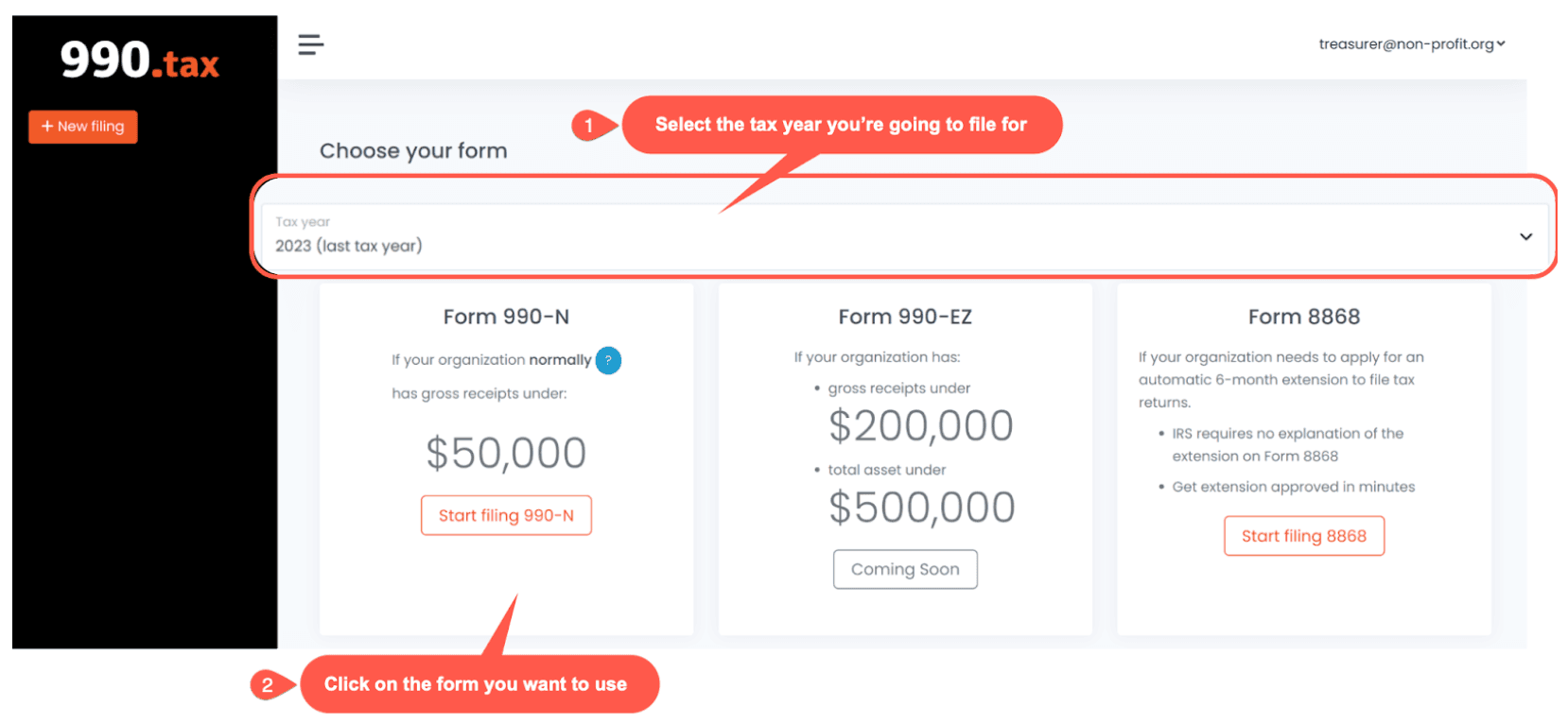
Step 2: Select the tax year you are filing for. If your gross receipts are normally $50,000 or less, you file Form 990-N. 990.tax also files earlier tax years. The IRS website does not accept prior-year e-Postcards, so a prior year has to go through an e-file provider.
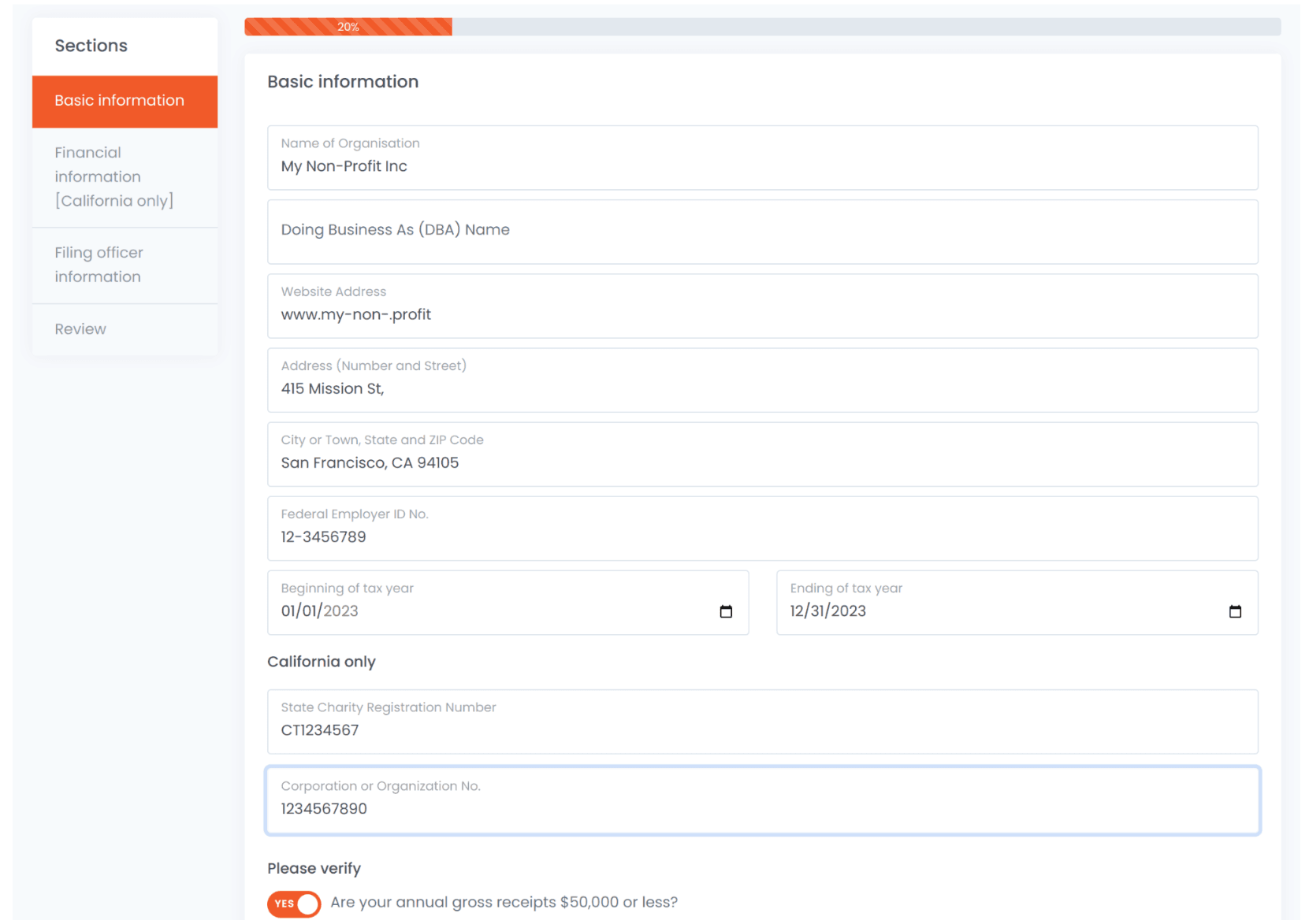
Step 3: Check the pre-filled information and complete anything missing.
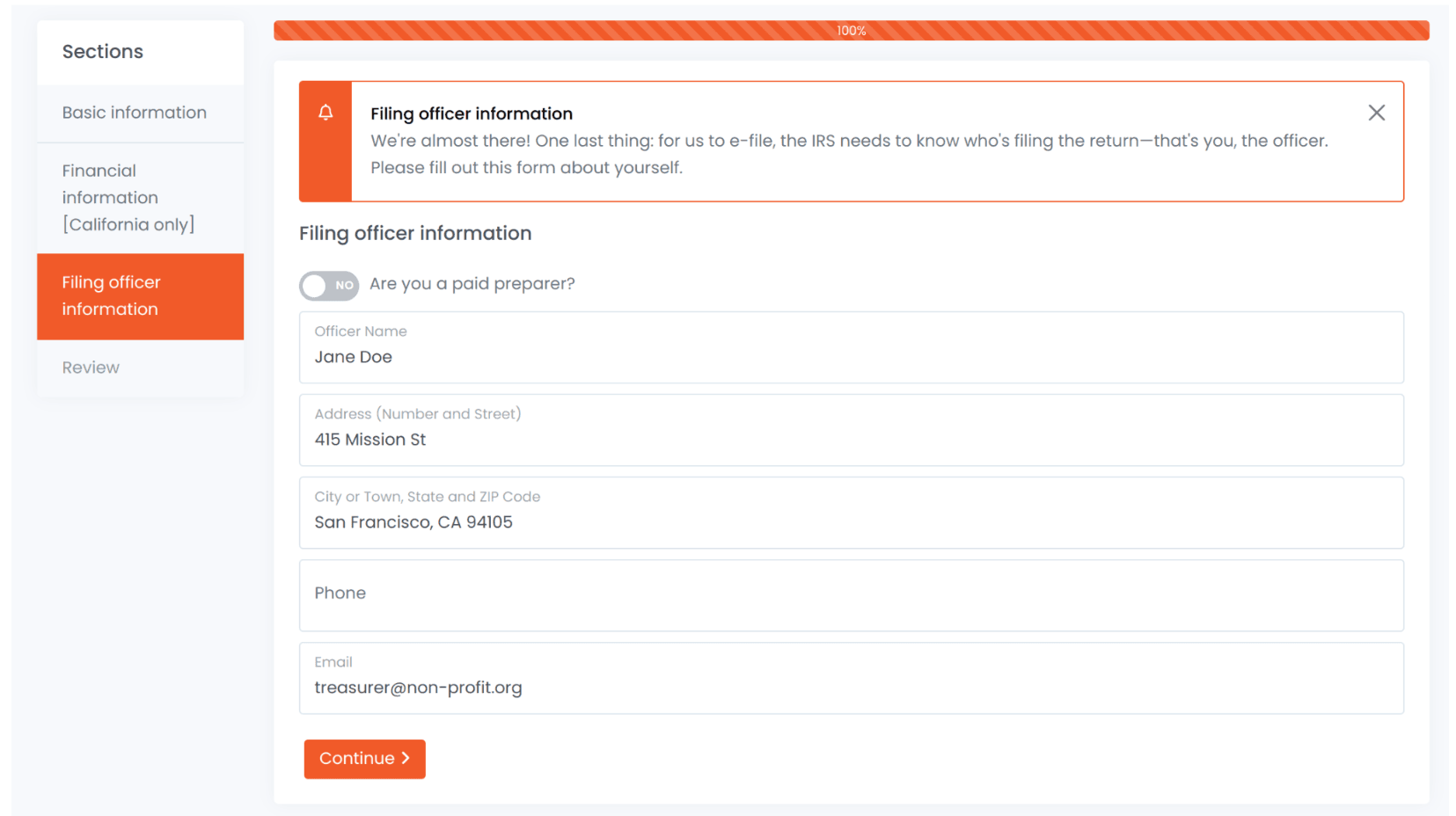
Step 4: Enter the principal officer's name and address, and your own contact details.
Step 5: Pay $19.99. There is no subscription. 990.tax transmits the e-Postcard to the IRS after payment.
Step 6: Watch for an email from [email protected]. It tells you whether the IRS accepted or rejected the filing. If it was rejected, correct the problem and file again.
Step 7: Download a copy of the filed form from the Filings section and keep it with your records.
If your receipts were higher
If gross receipts were not normally $50,000 or less, file Form 990-EZ or Form 990 instead. Form 990-EZ is for organizations with gross receipts under $200,000 and total assets under $500,000 at year end. 990.tax files Form 990-EZ for $89.99. It does not file the full Form 990. See the difference between Form 990-N and Form 990-EZ.
California organizations
California also has an annual requirement. Organizations with California tax-exempt status file FTB 199N or Form 199 with the Franchise Tax Board, in addition to the IRS form. 990.tax can add California Form 199 to your 990-N filing for $49.99. See the step-by-step guide for California nonprofits.
Questions can go to [email protected].
Disclaimer: This post is for general information and is not legal or tax advice.
Sources
- IRS: Annual electronic filing requirement for small exempt organizations (Form 990-N)
- IRS: Form 990-N FAQs - When to file
- IRS: Form 990-N FAQs - Who must file
- IRS: Form 990-N - Organizations not permitted to file
- IRS: Instructions for Form 990-EZ (2025)
- IRS: Instructions for Form 8868
- FTB: Annual and filing requirements for charities and nonprofits